Access Control
Flexible access control through member and role management—standard features you can customize to match your team's workflow.

User invitation
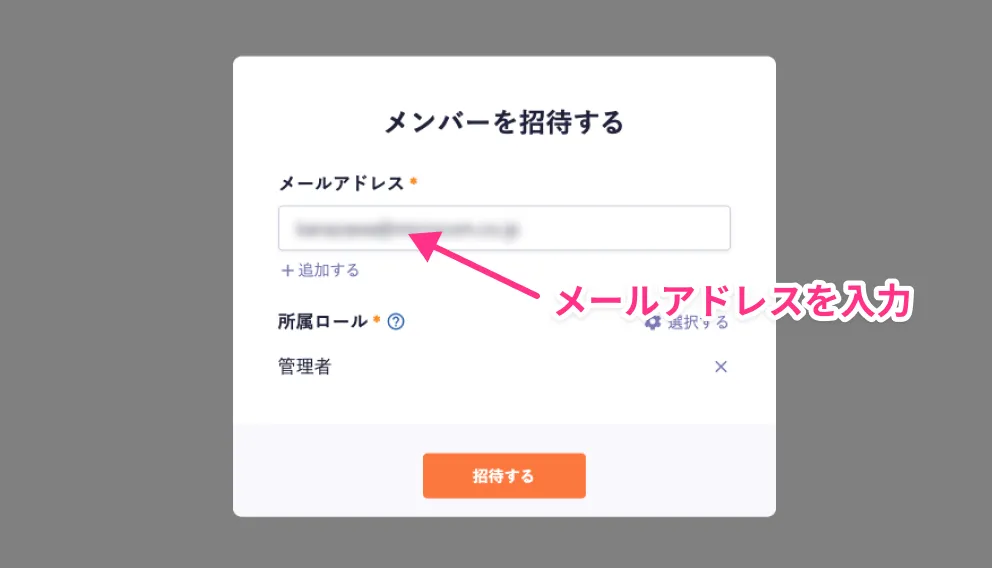
You can invite users who do not yet have a microCMS account to your service.
An email is sent to the invited address with a link to the account registration screen. Once registration is complete, they are added as members of the invited service. You can also cancel invitations or resend them.
* User invitations are available on all plans.
How to invite users
Member management
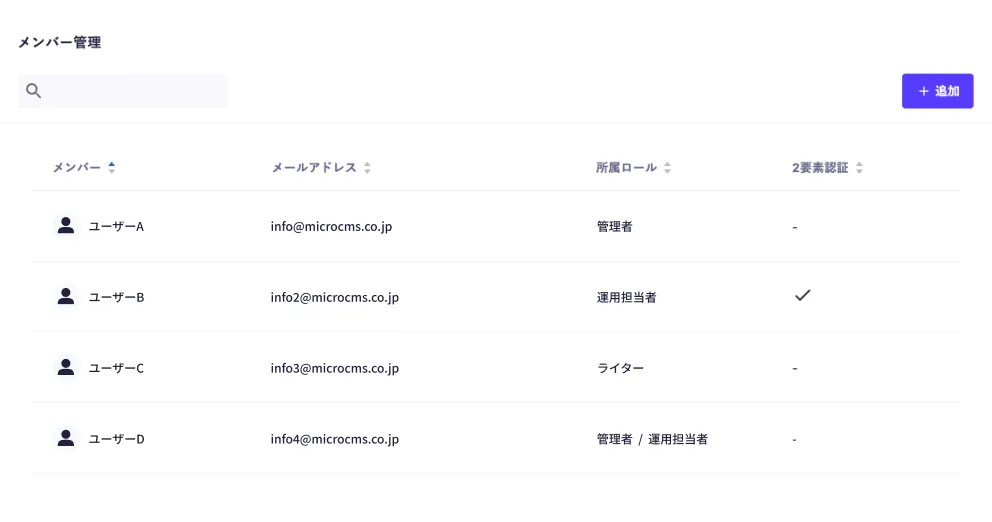
Simply invite users who have created accounts to add members in seconds.
You don't need to assign permissions every time for each member—assign pre-defined roles instead.
A single member can be assigned multiple roles; when roles with different permissions are assigned, the higher permission takes precedence.
* Access control is available on Business and Enterprise plans. See the "Access control" section on the pricing page for details.
Pricing page Role management
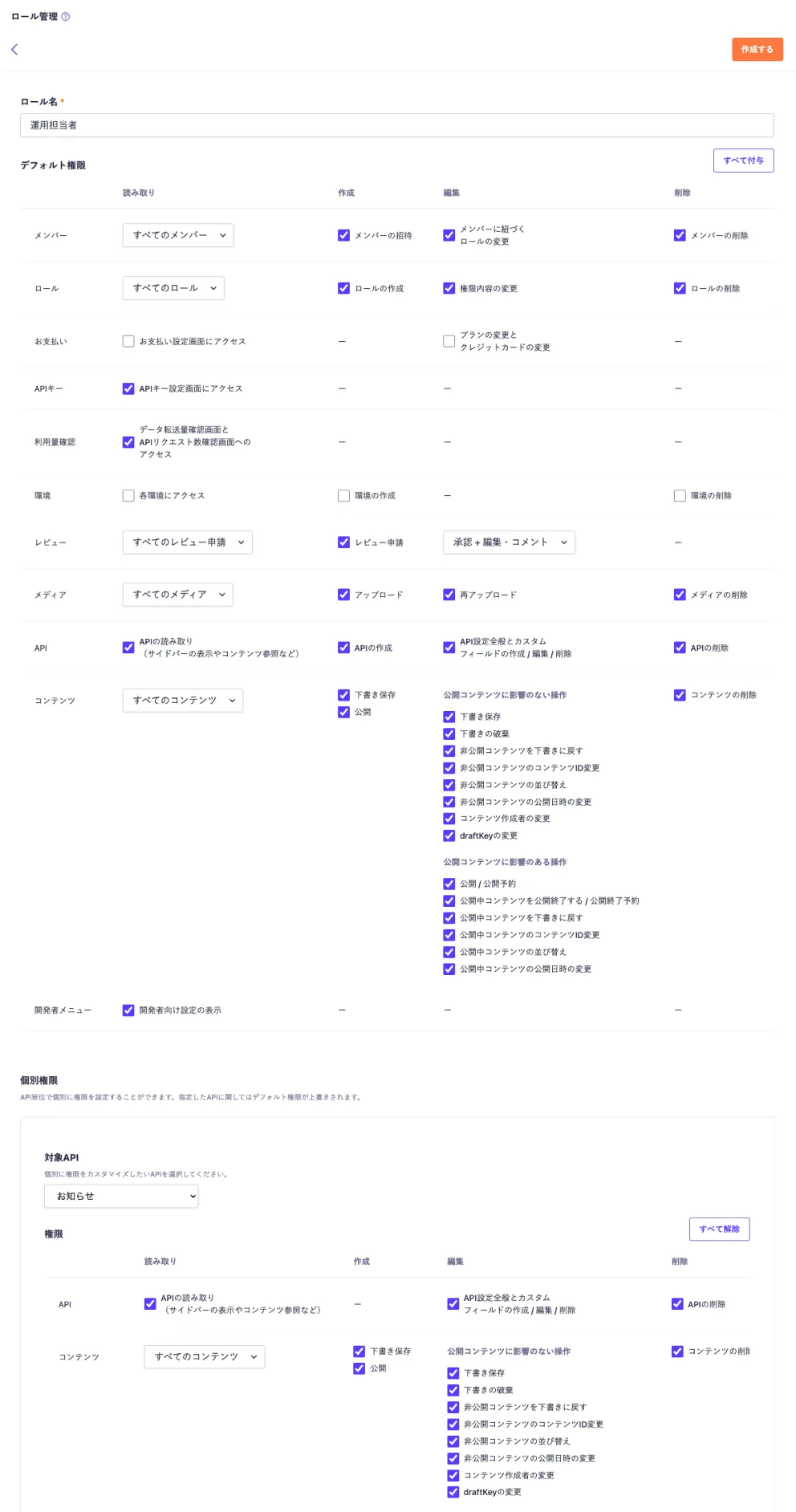
Roles are like types of permissions—when a new member is added, simply assign a role to complete permission setup. There's no need to configure permissions individually for each member.
Default permissions
On the admin panel, you can flexibly configure "permission settings" to choose which features each role is allowed to use.
Default permissions can apply restrictions to all APIs and content, so they're effective when you want to set permissions across the entire service at once.
Individual permissions
Individual permissions are access controls that can be applied per API, and they can override the member and role management settings configured in default permissions.
Related:
microCMS documentation: Access control * Access control is available on Business and Enterprise plans. See the "Access control" section on the pricing page for details.
Pricing page Use cases & examples
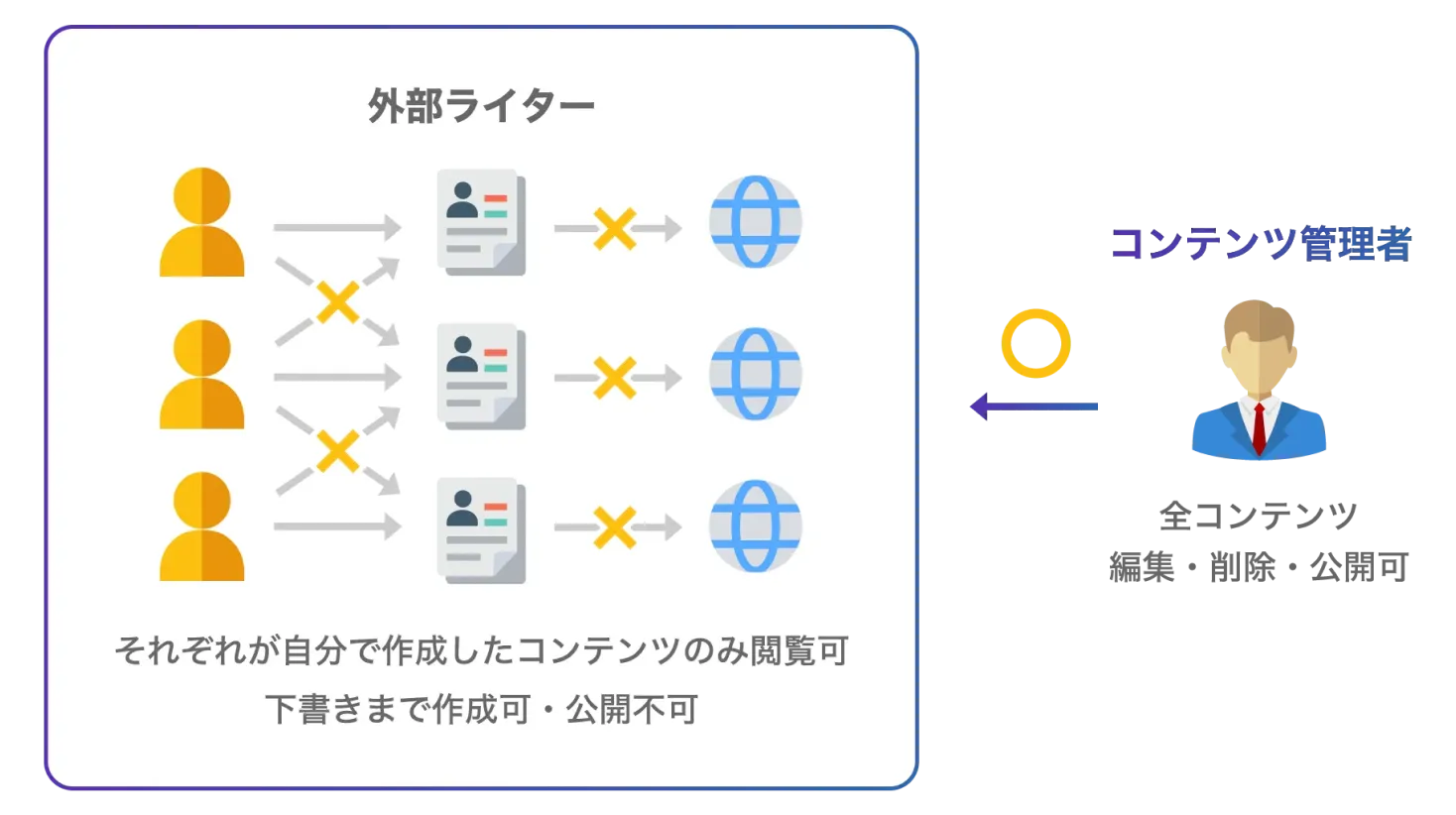
Example) Outsource articles to multiple external writers for your company media
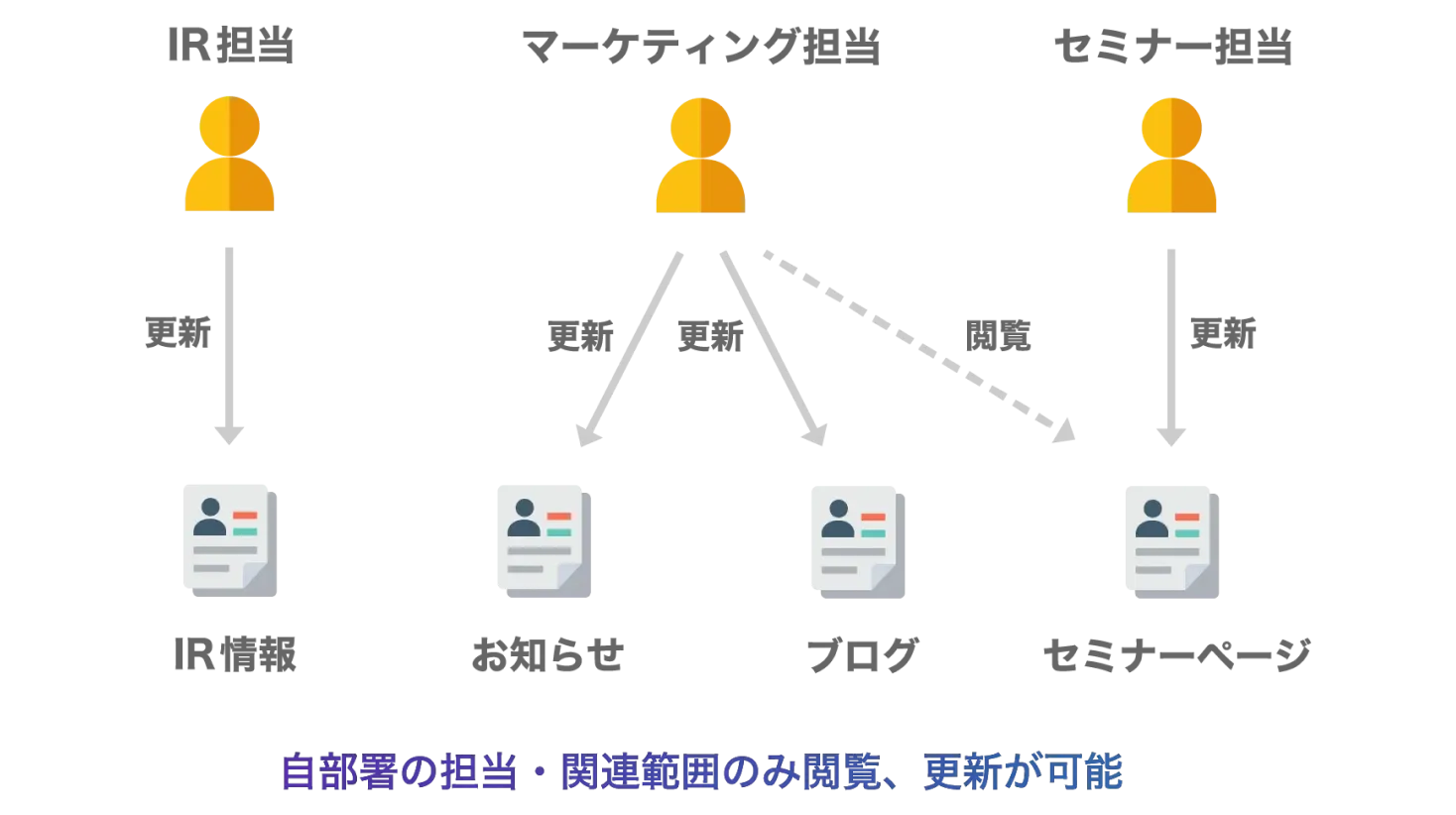
Example) Split responsible content by department
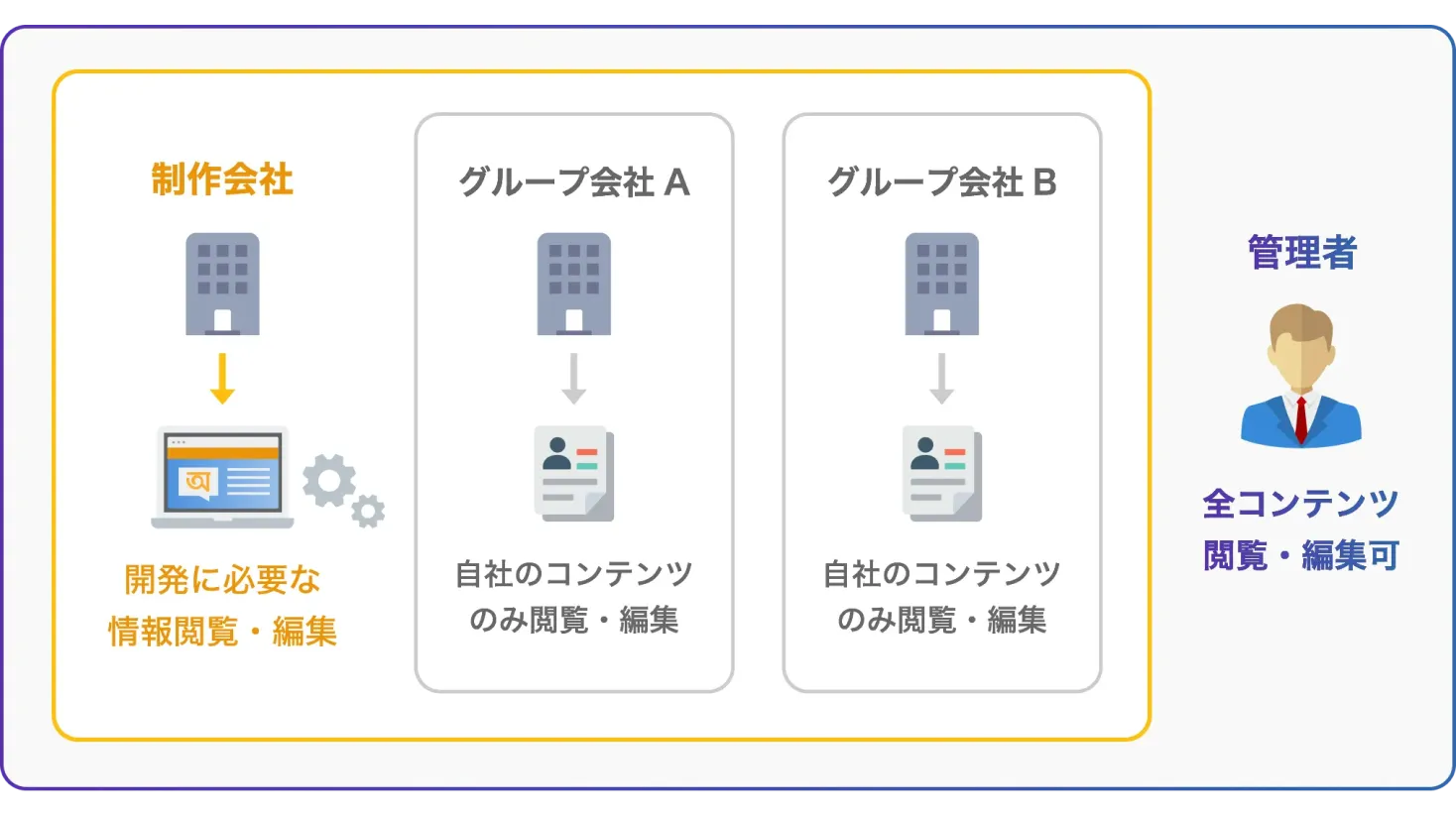
Example) Mixed membership from group companies, production companies, etc.
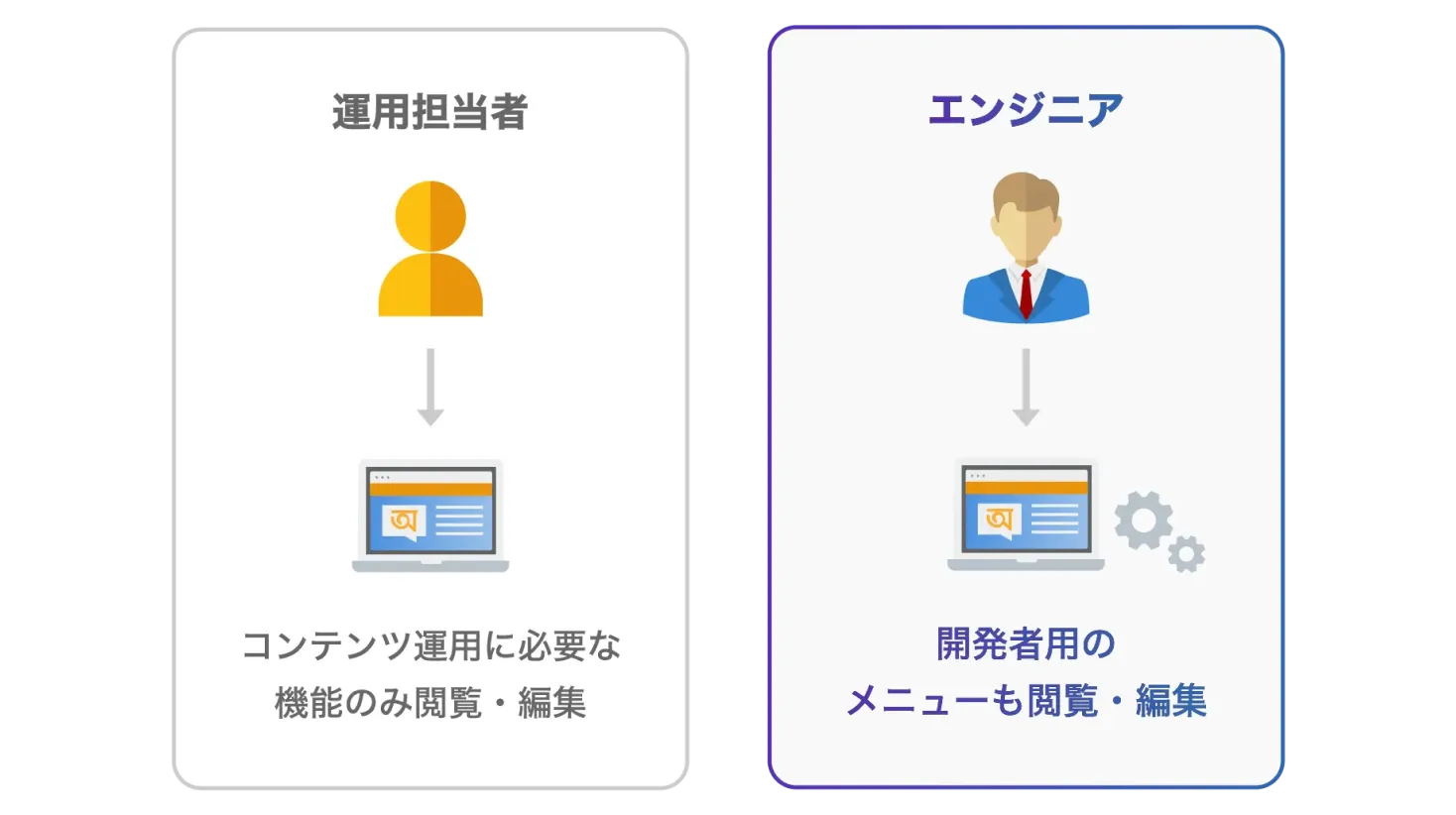
Example) Show developer menu to engineers only

Get started with microCMS at no cost.
Contact us if you have any questions.


